


A magenta circular shape with a thick ring and a wedge segment overlapping its upper right side, resembling a spotlight.
Spotlights

Communicate changes & updates with
in-app alerts

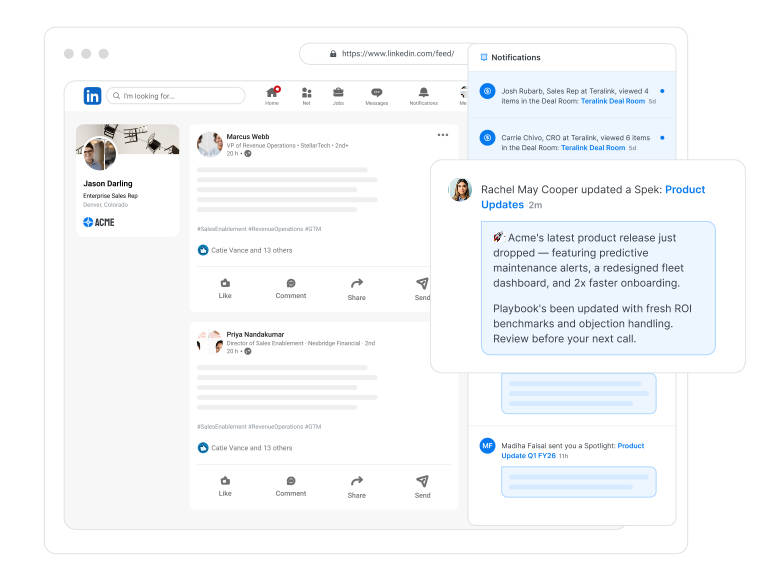
Instantly notify sales reps of time-sensitive changes, new resources, and key announcements. Deliver real-time alerts to communicate crucial updates without disrupting productivity.
Salesforce.com interface with a pop-up titled 'Deal Desk Process' announcing a new deal desk process rollout by Lindsay Safchik, with options to 'Show me later' or 'Let's go'.

Communicate changes in real-time

Implementing a new tool? Rolling out revised processes? Trying to get eyes on a new piece of sales content? Spotlights communicate updates directly in the flow of work so reps are never out of the loop.

  • Bullet List Item
  • Bullet List Item
  • Bullet List Item
Screenshot of a Salesforce webpage with a Spekit pop-up announcing a new CPQ process for creating quotes, including a message from Lindsay Safchik and options to show the message later or proceed.

Enable sales reps with new content and resources

Make sure reps are always using the newest case studies and collateral. Notify them in real-time when you've launched new guides, playbooks, case studies, or objection-handling scripts to help them sell better, faster.

“This morning I found 3 assets, generated the links and had the email out within 2 minutes start to finish. This would’ve taken me a good 20 minutes with my last sales content management platform and a high likelihood that I would’ve grabbed the wrong asset.”

Anthony Panvini, Director Enterprise New Logos, InMoment
Anthony Panvini
Director Enterprise New Logos

"When people see Spekit, it really does speak for itself. It makes my job so much better."

Richard Thibault headshot
Head of Revenue Enablement & Training
Richard Thibault

"With Spekit, enablement is transformed from an event or a destination to a living, breathing, connected component of the employee experience." 

Samantha Luke, Senior Director of Technology, ALS Association
Samantha Luke
Director, Training and Support
Gmail interface showing a Compose window with a Spotlight creation form featuring content fields, media upload, button details, and a preview of a Deal Desk Process message.

Make notifications available for as long as they’re needed

Set Spotlights to appear indefinitely to support evergreen needs, like sharing resources with a new sales rep when they use a tool for the first time. For time-bound updates, like reminding employees to complete compliance training by the deadline, set an expiration date for the Spotlight.

Measure engagement with notifications

See who’s viewing or snoozing announcements with real-time analytics. Spotlight analytics reveal views and engagement, and so you can put an end to the question “Is anyone reading this?”